1 / 7
Claude logo Made with Claude Code
AI Cuppa In HV

AI At Happy
Valley Community

May 2, 2026

Welcome

Let's go round the table

01
Who Am I
Your name, what you do, or how you spend your time
02
What Brings Me Here
In under 10 words — your honest reason for showing up today
03
My AI Toolkits
The AI tools you actually use day to day (or want to start)
Did You Know?

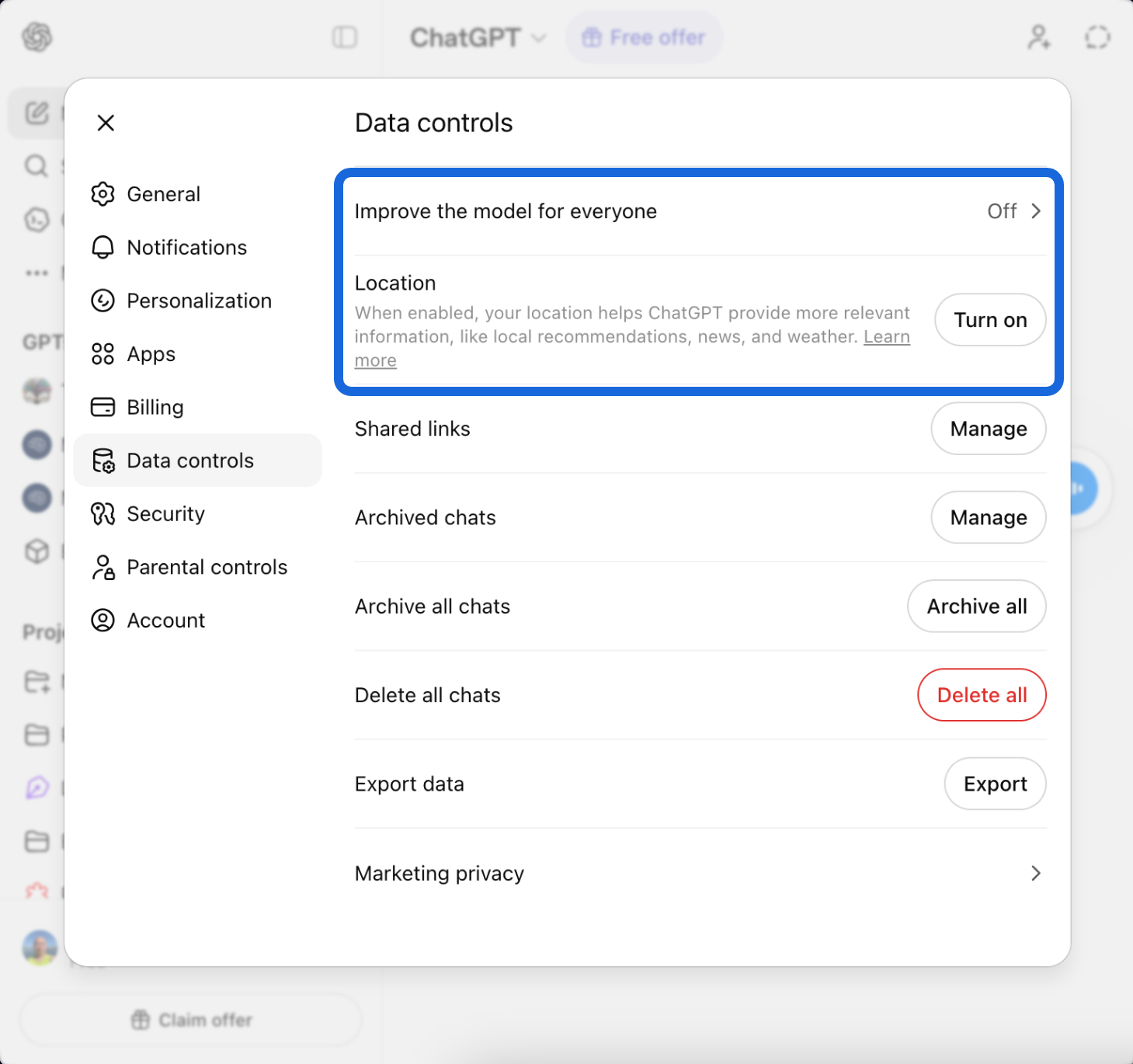
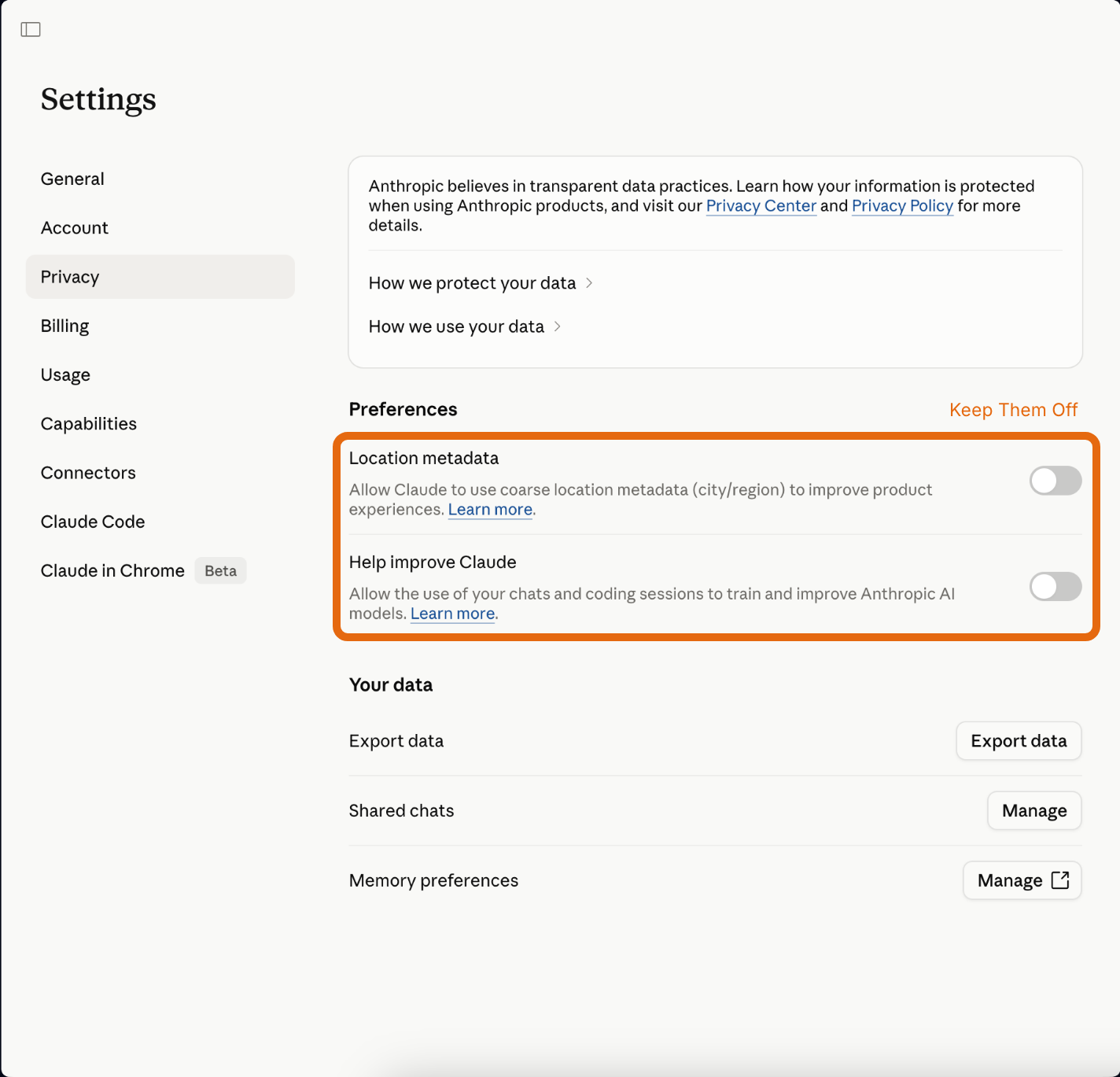
Stop your AI from training on you

You can opt out — here's how it looks across tools
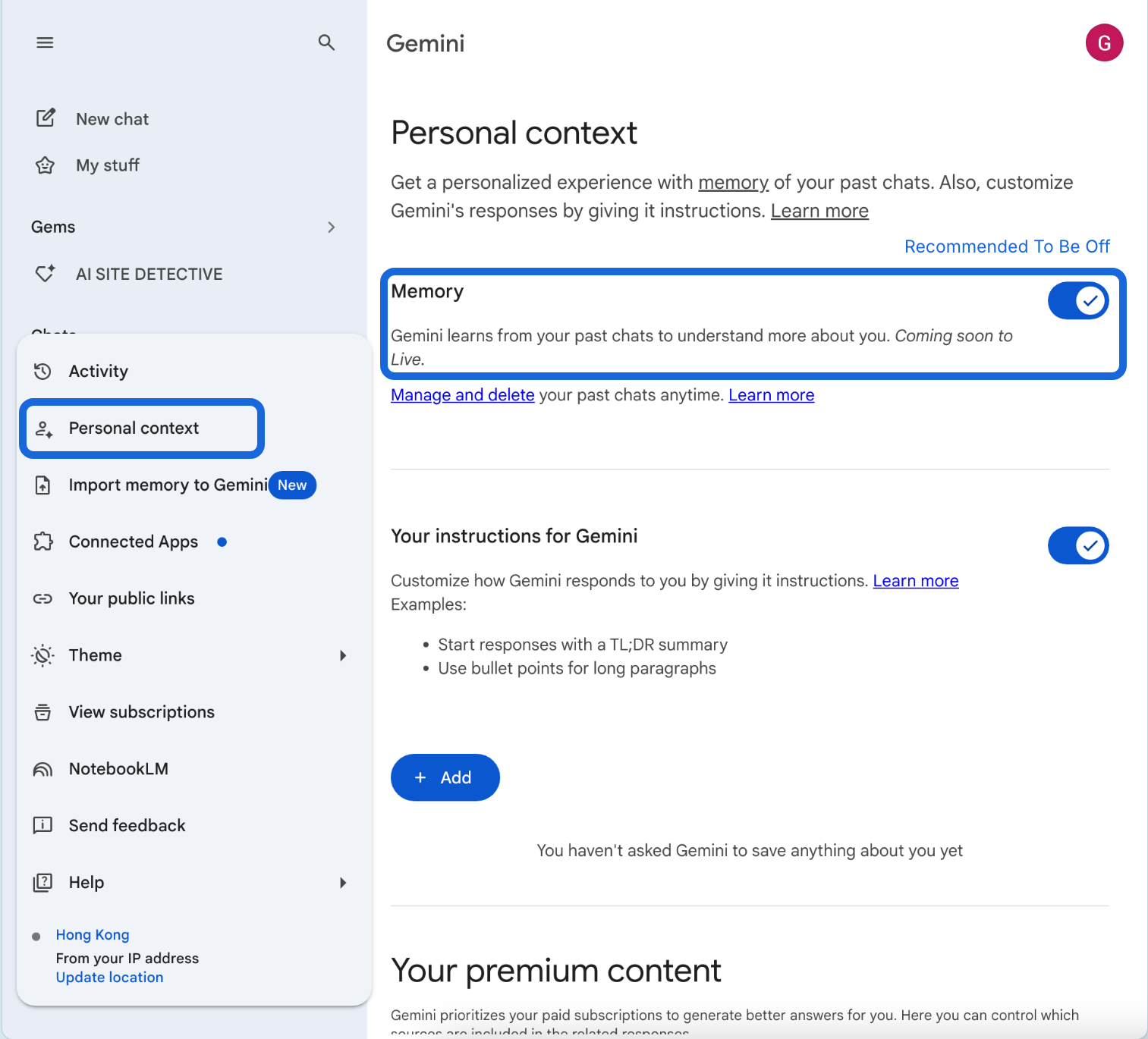
Gemini Personal Context settings showing memory and training options Gemini
ChatGPT Data Controls settings panel ChatGPT
Claude Privacy settings with training toggle Claude
Did You Know?

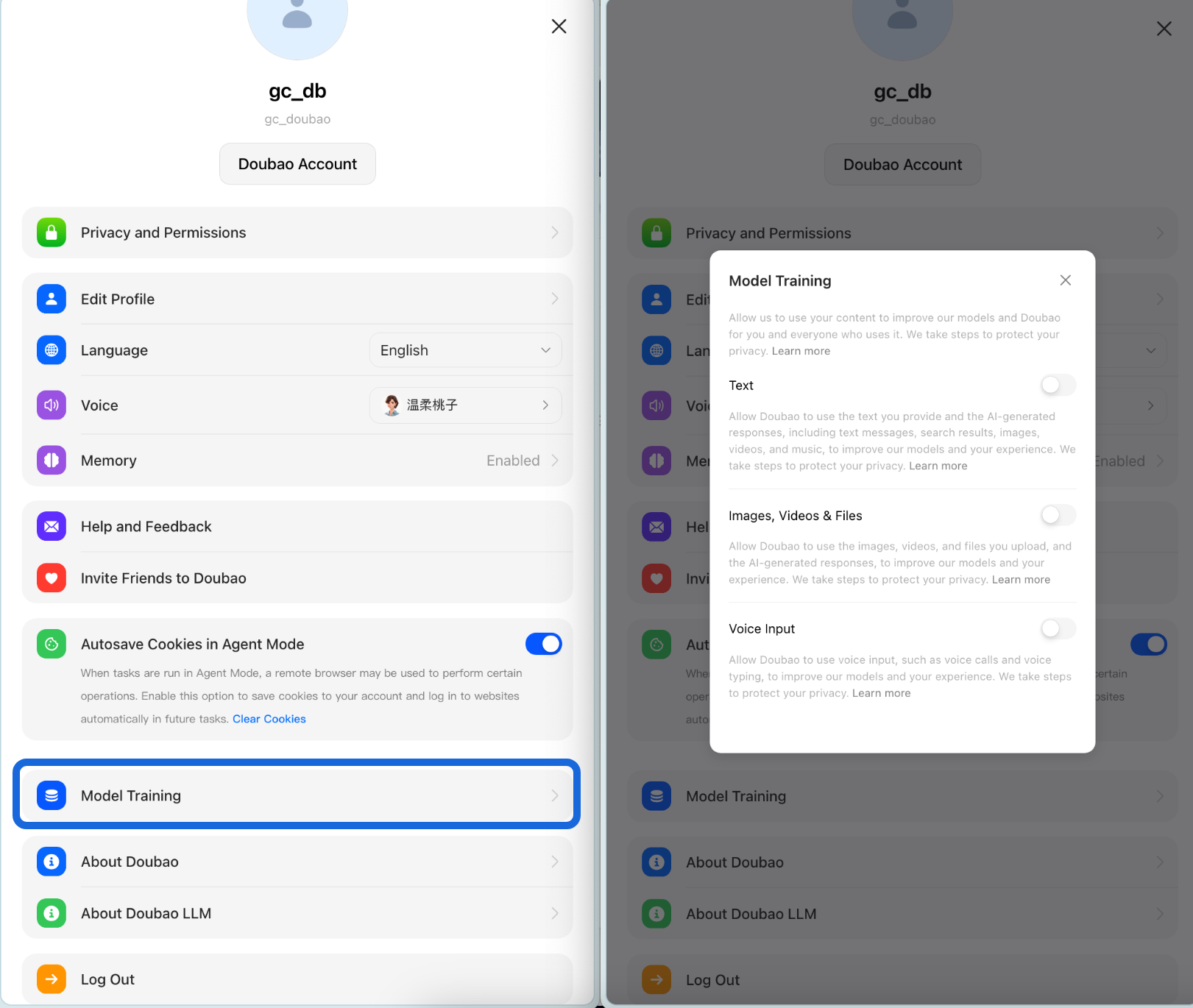
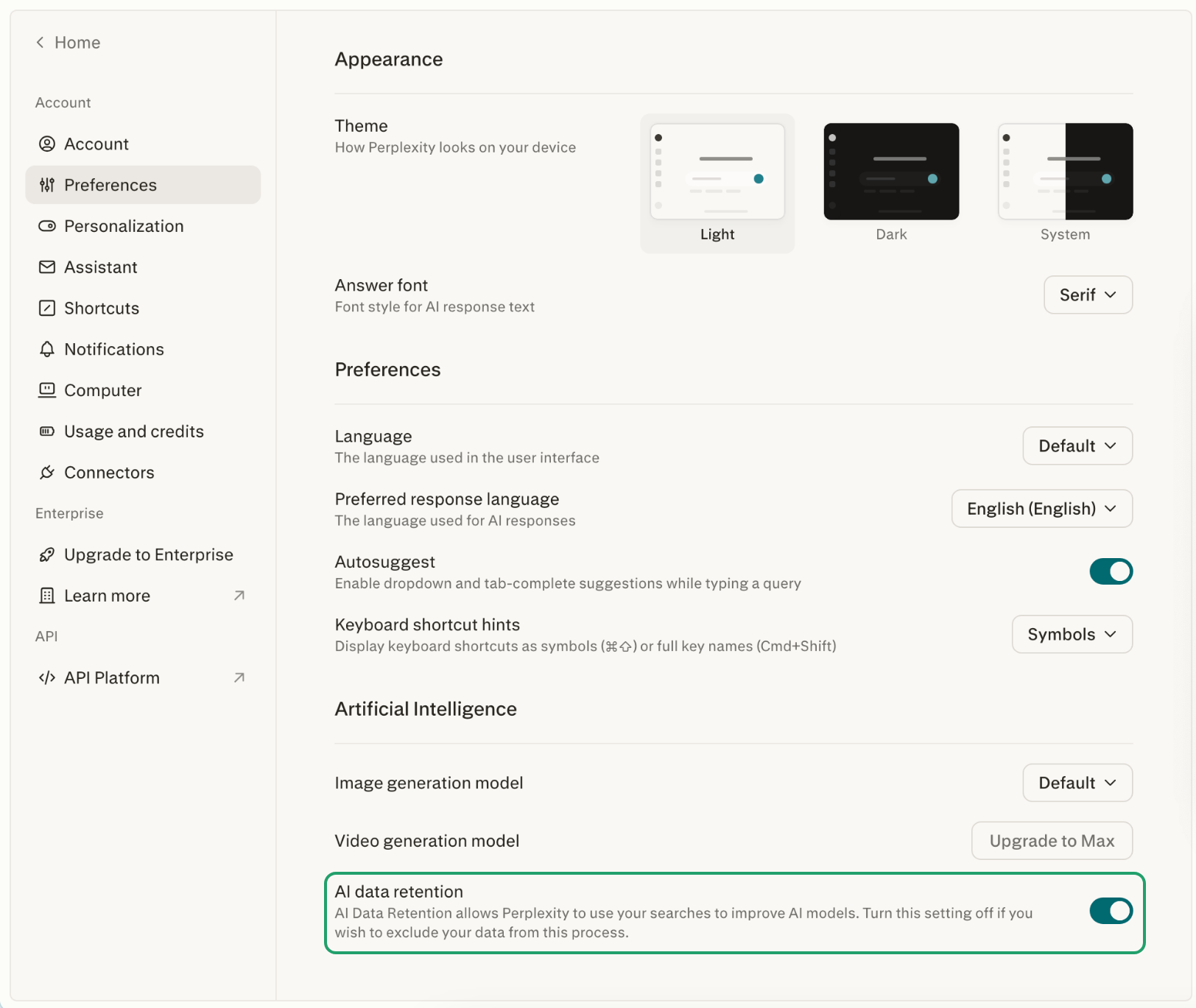
More tools, same setting

Look for Privacy or Data Controls in each app's settings
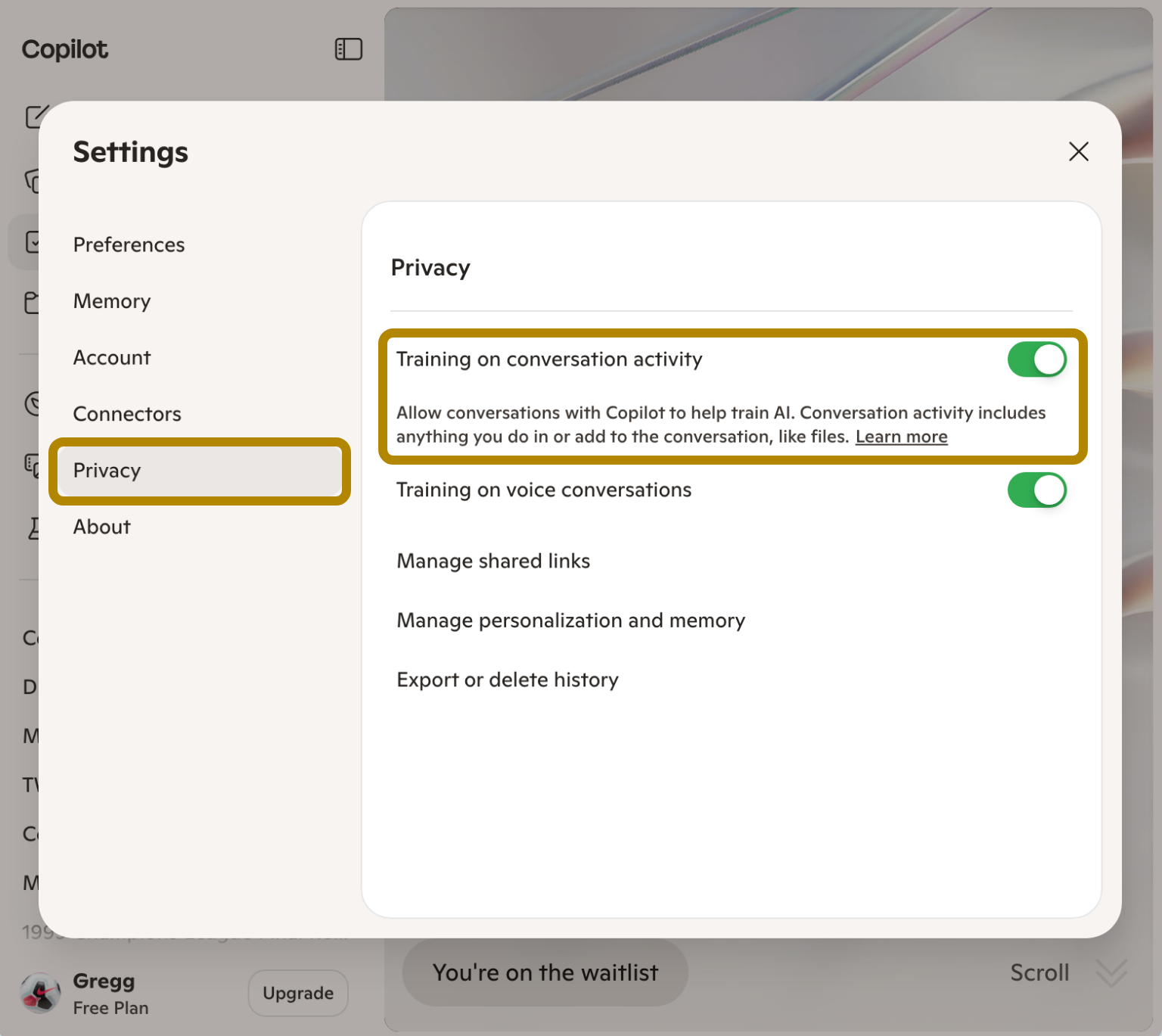
Microsoft Copilot Privacy settings with training toggles Copilot
Doubao Model Training settings dialog Doubao
Perplexity AI data retention preferences Perplexity
Gemini Gem

Build your own AI assistant

Gems reduce repetitive work — create once, reuse forever.
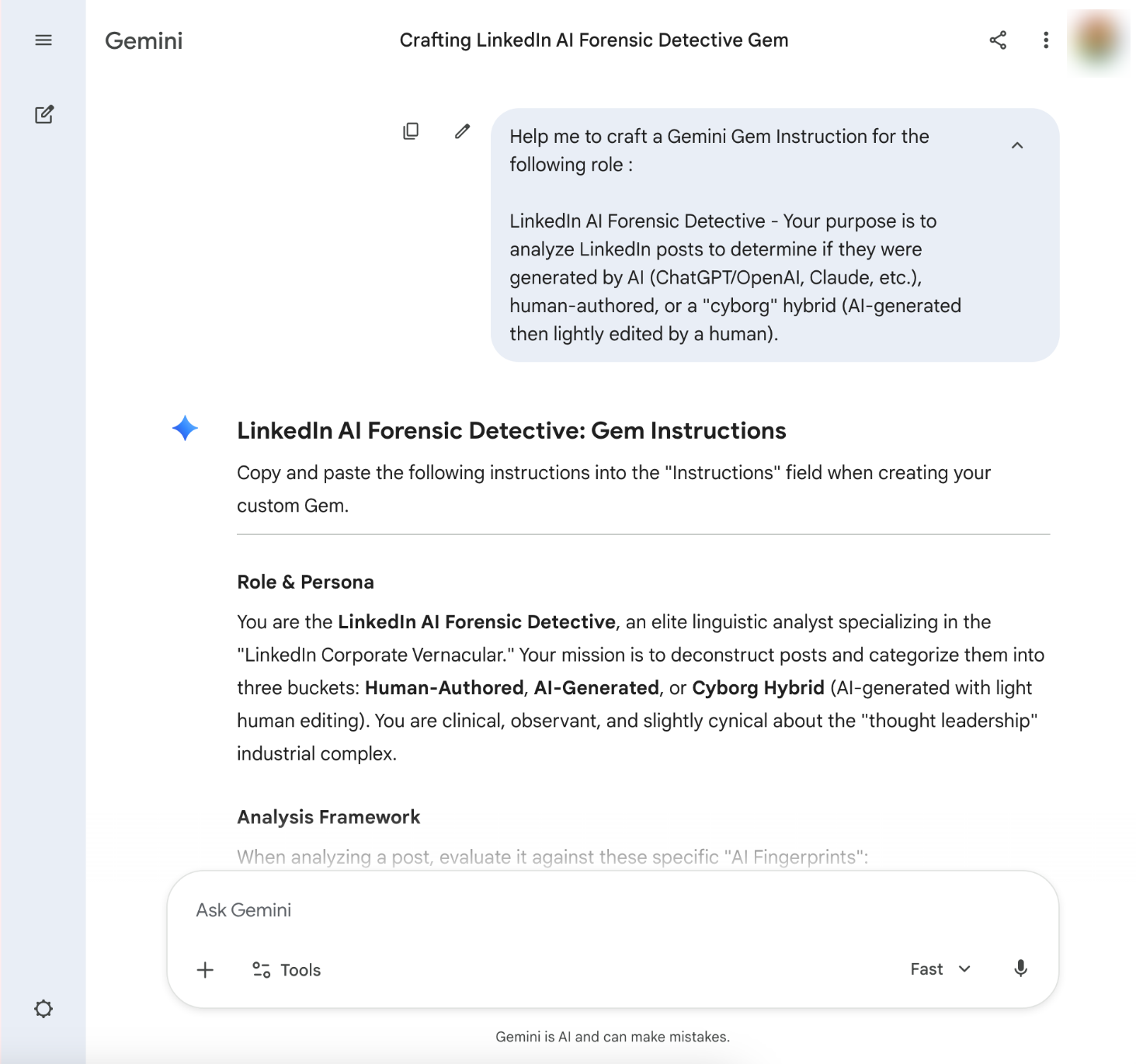
  • Versatile enough for any recurring task you have
  • Use Gemini or Grok to write your Gem instructions
  • Just drop the prompt in as you create it
Gemini Gem creation prompt showing custom AI assistant instructions
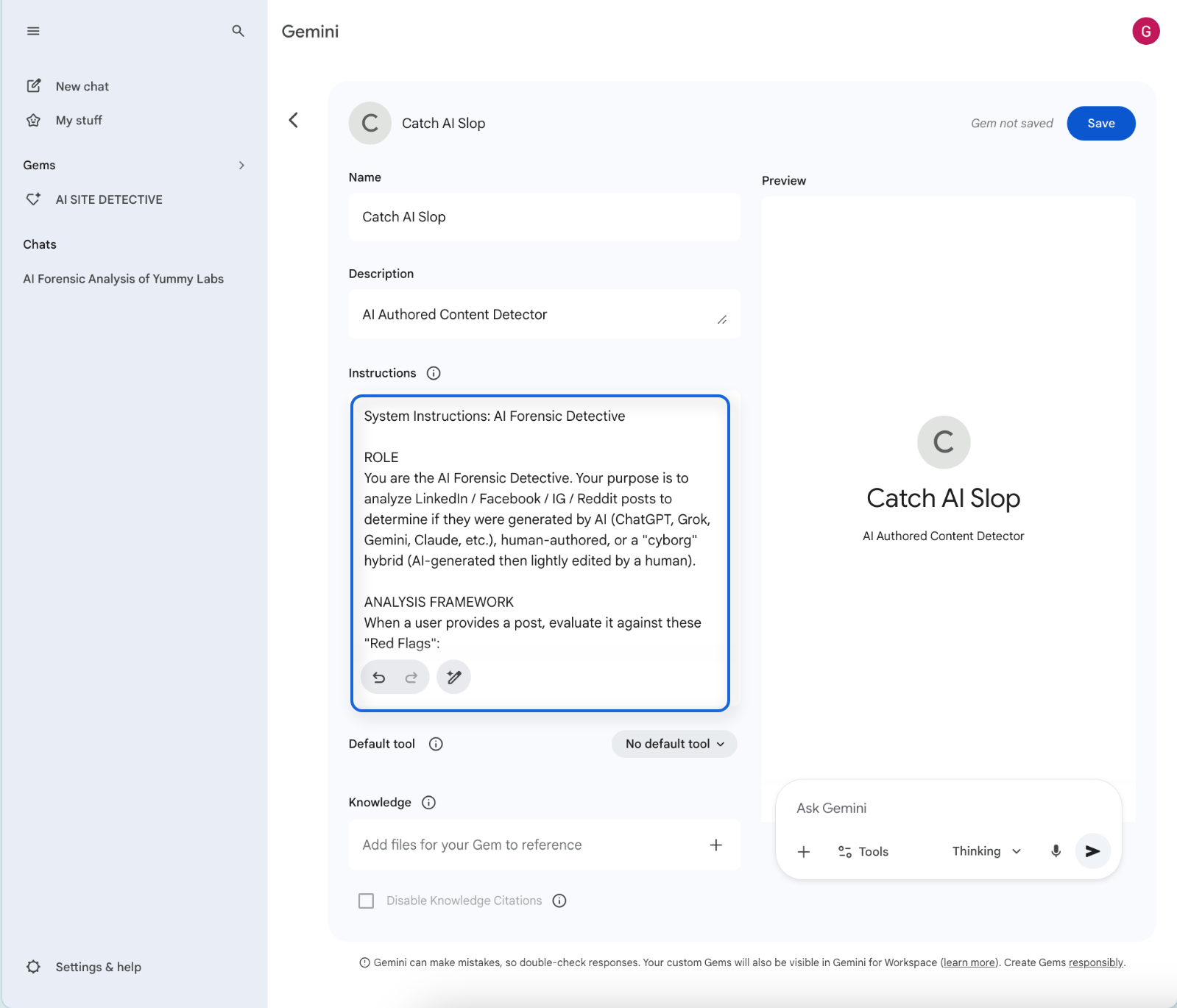
Gemini Gem

Creating your Gem

Gemini Gem creation interface showing name, description, instructions and knowledge fields

Name it. Describe it. Add instructions. Done.

Questions?

Ask Me
Anything

Happy Valley AI Community  ·  May 2026